Moving Beyond Reactive Fire-Fighting
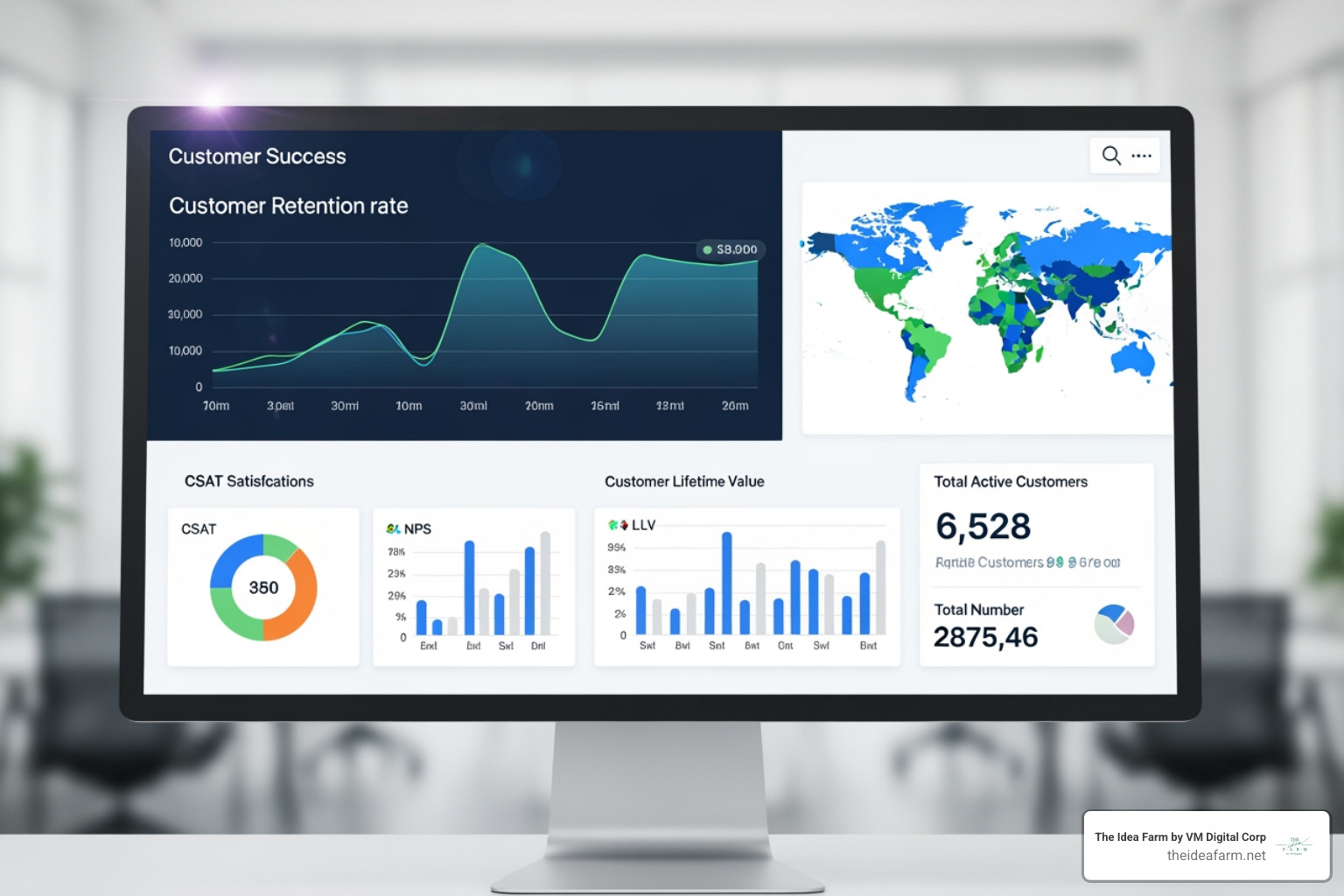
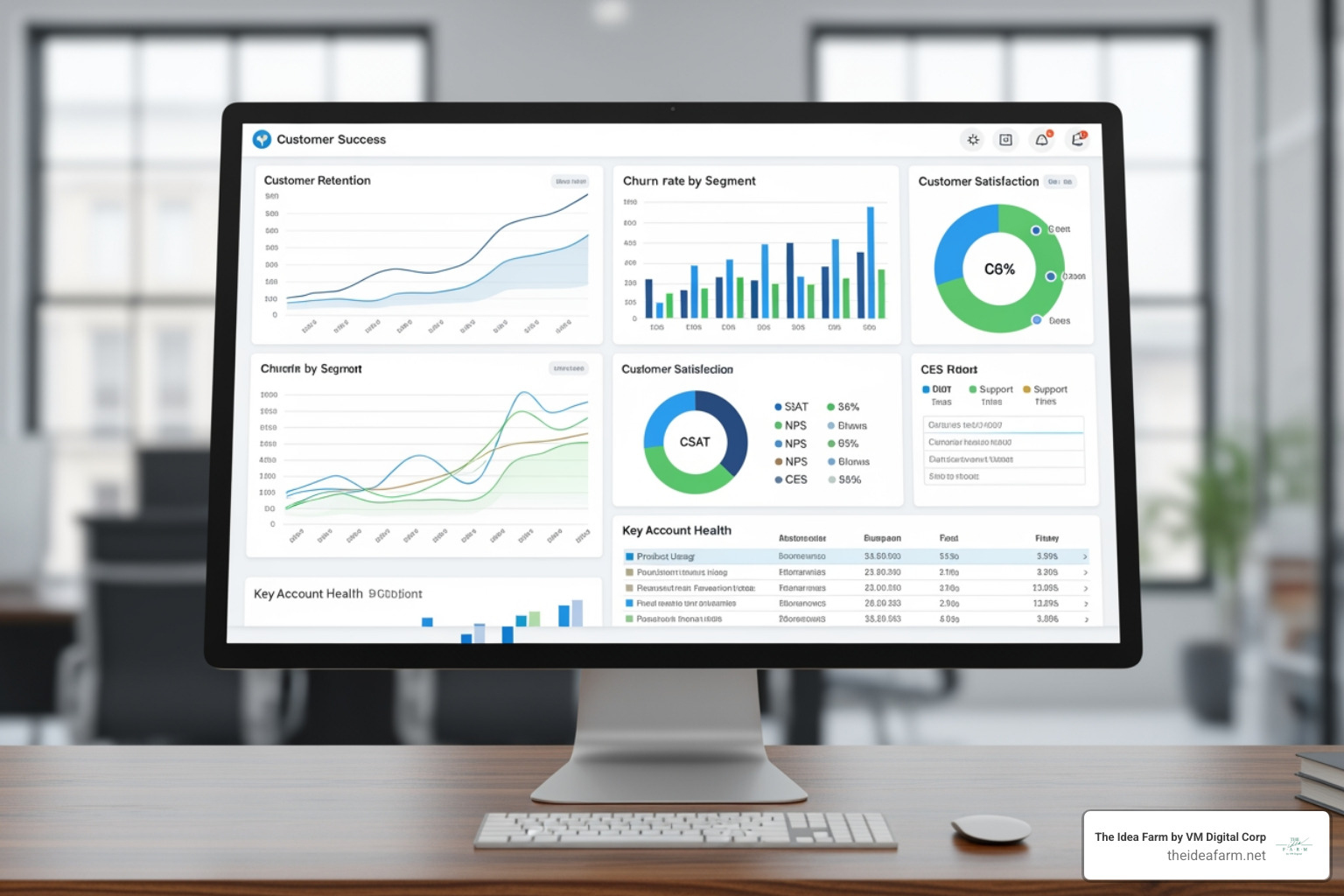
A customer success dashboard is a centralized visual tool that consolidates key metrics and data from multiple sources (CRM, support, product analytics) to provide real-time insights into customer health, engagement, satisfaction, and revenue, enabling Customer Success Managers to proactively manage relationships, prevent churn, and identify growth opportunities.
Key Components of a Customer Success Dashboard:
- Health Score Indicators - Real-time view of customer health using color-coded signals (green, yellow, red)
- Churn Risk Scoring - Predictive metrics that flag at-risk accounts before they leave
- Usage & Engagement Metrics - Feature adoption, license utilization, and product activity trends
- Revenue Metrics - MRR, NRR, CLV, and renewal probability scores
- Support Interaction Data - Ticket volume, resolution times, and CSAT scores
- Onboarding Progress - Milestone tracking and time-to-value metrics
The common failure pattern for many SaaS businesses isn't a lack of data - it's a lack of connected insight. Teams operate in silos, reacting to support tickets and churn alerts only after the damage is done. This isn't a customer success strategy; it's a constant state of defense.
Research shows that one in five customers will churn after just one bad experience, while nearly 60% more will leave after several bad experiences. Yet only 7% of companies actively track their customer health scores. This gap represents a massive opportunity.
A true customer success dashboard is not just another report. It's the strategic command center that transforms siloed data into a proactive growth engine, enabling you to deliver value before customers have to ask for it. When built correctly, it becomes the difference between guessing and knowing, between reacting and preventing, between losing customers and growing them.
I'm Jose Escalera, CEO of The Idea Farm, and I've spent my career building companies and sales systems where clarity and execution determine survival. I've seen how a well-designed customer success dashboard becomes the operational backbone that turns customer data into revenue retention and expansion.
From Data Graveyard to Growth Engine: The Strategic Role of a Customer Success Dashboard
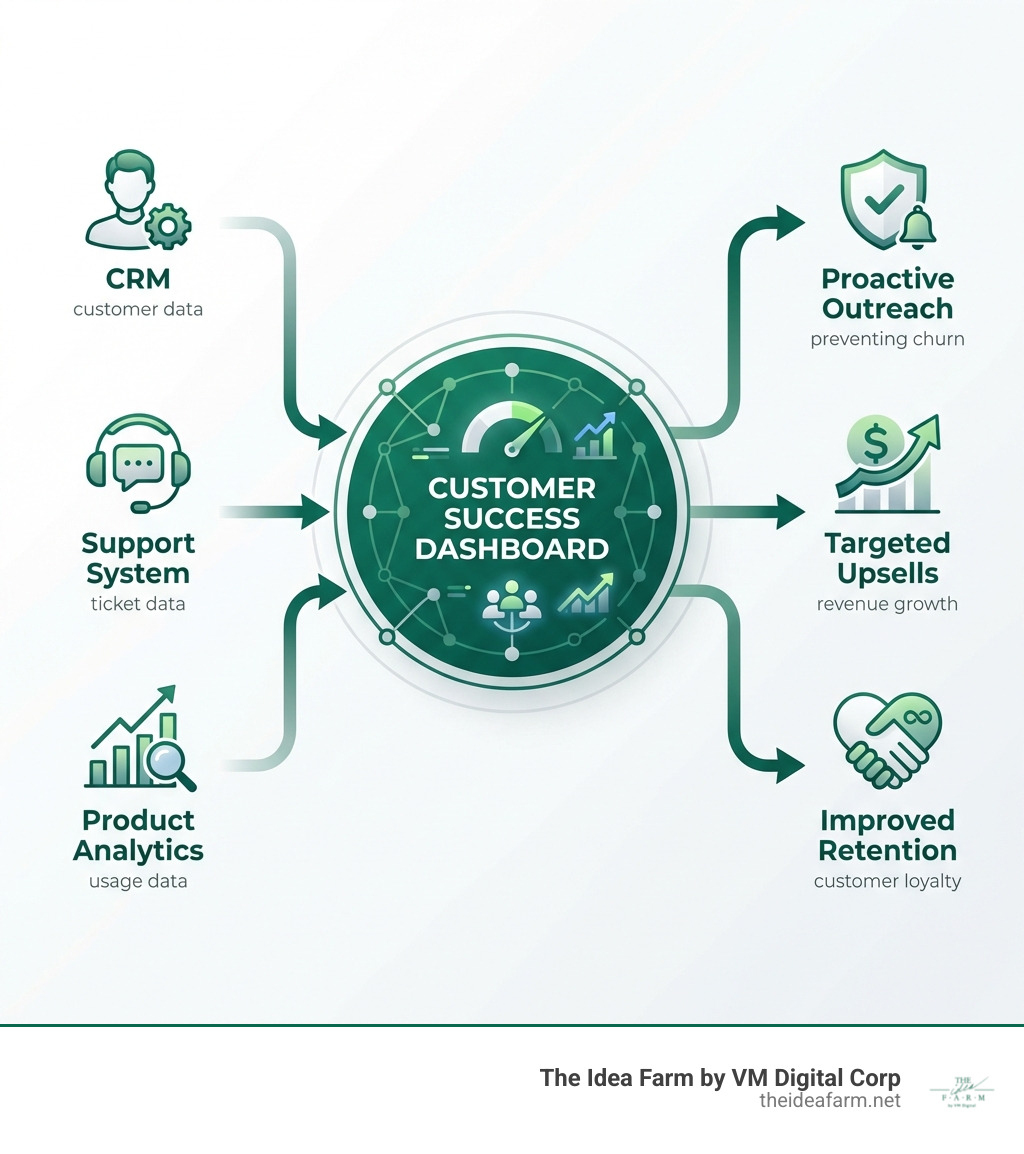
For many businesses, customer data often resides in disparate systems - CRM for sales, support tickets for service, product analytics for usage. These data silos are where opportunities go to die, or, more accurately, where churn festers unnoticed. The strategic role of a customer success dashboard is to dismantle these silos, creating a unified, actionable view of your customer base. It's about moving beyond simply collecting data to actively leveraging it for growth.
A dashboard's true purpose is to provide clarity and drive action. It centralizes disparate data points to tell a coherent story about customer health, risk, and opportunity. By breaking down the walls between your CRM, support desk, and product analytics, we empower our team to move from guessing to knowing, making data-driven decisions that directly impact the customer journey and our bottom line. This shift is critical, as research shows that one in five customers will churn after just one bad experience.
The primary benefits of implementing a robust customer success dashboard extend across the entire organization:
- Elimination of Data Silos: By aggregating information from various sources into a single pane of glass, CSMs no longer have to hunt for data. This free movement of data is central to an excellent customer experience, allowing Customer Success Managers to access the information they need and make quick decisions that best impact customers.
- Improved Customer Experience and Retention: When CSMs have a holistic view of customer interactions, usage patterns, and feedback, they can provide more personalized and proactive support. This leads to higher customer satisfaction and, crucially, better retention rates. The ability to intervene quickly to prevent churn is a direct outcome of this improved data accessibility.
- Proactive vs. Reactive Strategy: Instead of reacting to problems after they escalate, a dashboard enables proactive engagement. It highlights warning signs of dissatisfaction or disengagement, allowing CSMs to reach out before a customer even considers leaving. This foresight is invaluable in preventing churn.
- Actionable Intelligence: A well-designed dashboard doesn't just present data; it transforms it into actionable insights. It tells us not just what is happening, but why it's happening, and what we should do next. This data-driven approach empowers our team to make informed decisions that directly contribute to customer success and our business goals.
A customer success dashboard isn't just a reporting tool; it's a critical operational component that directly impacts customer experience, churn prevention, and overall team efficiency by consolidating scattered data. It's the difference between flying blind and navigating with a clear, real-time map.

Architecting Your Command Center: The Metrics That Actually Matter
A powerful dashboard isn't about tracking everything possible; it's about tracking the right things. The most effective dashboards organize metrics into strategic lenses, each providing a different perspective on customer value and business health. While many companies struggle with this, getting it right is a significant competitive advantage. We need to focus on KPIs that directly reflect how well our clients are experiencing their desired outcomes and how that translates into our business growth.
The Health & Risk Lens: Your Early Warning System
This lens provides a real-time pulse check on your customer base, flagging instability before it escalates into churn. It combines direct feedback with behavioral data to create a predictive view of account stability. This is where we identify who needs attention now.
- A customer health score: This is a composite KPI that takes multiple indicators of customer satisfaction and combines them into a single, easily digestible score, often color-coded (green for healthy, yellow for moderate satisfaction, red for at-risk). It's our quickest indicator of overall account well-being.
- Churn Risk Scoring: Beyond a simple health score, predictive analytics can identify specific behaviors or trends that correlate with churn, allowing us to intervene proactively. This might include a sudden drop in usage or a spike in support tickets.
- Usage Trends: Are customers logging in? Are they using key features? Consistent product usage is a strong indicator of value realization. A decline often signals disengagement.
- Support Ticket Volume & Trends: A sudden increase in support tickets, or a pattern of recurring issues, can signal underlying problems or frustration. Conversely, a low volume of complex tickets might indicate a healthy, self-sufficient customer.
- CSAT & NPS Scores: Customer Satisfaction (CSAT) and Net Promoter Score (NPS) provide direct feedback on customer sentiment. NPS, ranging from -100 to 100, categorizes customers as promoters, passives, or detractors, offering insights into their likelihood to recommend our product. These qualitative metrics are crucial for understanding the "why" behind the quantitative data.
The Value & Engagement Lens: Measuring Product Adoption
This lens answers the most critical question: Are customers realizing the value of your product? Low engagement is a leading indicator of churn. Tracking how deeply and frequently customers use your product is non-negotiable.
- Feature Adoption Rates: How many customers are using specific features, and how often? This metric helps us understand which parts of our product are truly delivering value and where customers might be struggling to find utility.
- License Utilization: This is the number of licenses a customer has used divided by the total licenses they've purchased. A high rate indicates active usage and deep adoption, while a low rate can be a clear sign of churn risk or underutilization.
- Key User Activity: Beyond just logging in, what actions are users taking? Are they completing critical workflows, integrating with other tools, or reaching milestones that signify success?
- Onboarding Completion: Successful onboarding is foundational. Tracking the percentage of customers who complete onboarding milestones, and the time it takes them, is vital for ensuring they get to value quickly.
- Time-to-First-Value (TTFV): How long does it take a new customer to experience their first "aha!" moment or achieve a tangible benefit from our product? A shorter TTFV correlates strongly with long-term retention.
The Financial & Growth Lens: Connecting CS to the Bottom Line
Customer Success is a revenue function. This lens connects CS activities directly to financial outcomes, proving the team's ROI and identifying opportunities for expansion.
- Monthly recurring revenue (MRR): This metric tells us how fast we're growing our revenue through customer acquisition and expansion. Tracking new MRR from upsells and cross-sells directly demonstrates the financial impact of our CS efforts.
- Net Revenue Retention (NRR): NRR measures the revenue retained from an existing customer base over time, including upsells, cross-sells, and downgrades. A high NRR (ideally above 100%) indicates that our existing customers are growing, validating our value proposition.
- Customer Lifetime Value (CLV): This is a prediction of the total revenue we expect to generate from a customer throughout their relationship with us. It helps us understand the long-term value of our customer relationships and the impact of retention efforts.
- Upsell & Cross-sell Opportunities: By analyzing customer health, usage patterns, and CLV, the dashboard can highlight accounts that are prime candidates for upsell (e.g., upgrading to a higher tier) or cross-sell (e.g., purchasing complementary products). This proactive identification is crucial for revenue expansion.
- Renewal Rates: The ultimate measure of retention. Tracking renewal rates (both logo and revenue) gives us a clear picture of our ability to keep customers happy and engaged year over year.
Beyond a Single View: Specialized Dashboards for the Entire Customer Lifecycle
A common mistake is building a single, monolithic dashboard for everyone. In reality, different roles require different views to execute their functions effectively. A mature CS operation uses specialized dashboards custom to specific stages of the customer journey and distinct team roles. This systems-thinking approach ensures that every team member has the precise information they need, when they need it, without being overwhelmed by irrelevant data.
The Onboarding Dashboard: Ensuring a Strong Start
The first 90 days are critical. This dashboard focuses exclusively on getting new customers to their first "aha!" moment as quickly and smoothly as possible, setting the foundation for long-term success. It's about ensuring a smooth journey from new customer to loyal, retained customer.
- Milestone Completion Tracker: Visualizes the progress of new customers through critical onboarding steps (e.g., initial setup, data import, first successful action).
- Time-to-Completion Metrics: Tracks the average time it takes customers to complete each onboarding milestone, highlighting potential bottlenecks.
- Early Feedback Scores: Captures initial CSAT or NPS scores from new users, identifying early concerns or successes.
- Overdue Tasks List: Flags any onboarding tasks assigned to the customer or CSM that are past due, prompting immediate action.
This dashboard is for CS leaders. It moves beyond account-level metrics to measure the efficiency and effectiveness of the Customer Success Managers themselves, ensuring the team is focused on high-impact activities.
- CSM Performance Dashboard Concept: Provides insights into all customer success activities and measures the productivity of the team. We can track activities across key features and monitor effectiveness through reports.
- Activities Completed: Number of customer calls, emails, meetings, and check-ins logged by each CSM.
- CTA Response Times: Tracks how quickly CSMs are acting on Call-to-Actions (CTAs) generated by the system (e.g., "customer at risk," "upsell opportunity").
- Portfolio Health Overview: Aggregates the health scores and risk status of each CSM's assigned accounts, allowing managers to spot struggling portfolios.
- Tasks Managed: Volume and completion rate of tasks assigned to each CSM, ensuring efficient workflow. This helps us ensure that our team in Houston, TX, or Danville, KY, is operating at peak efficiency.
The Executive Dashboard: High-Level Strategic Oversight
The C-suite doesn't need to see individual support tickets. They need a 30,000-foot view of customer health, revenue retention, and systemic risks to make informed strategic decisions about the business.
- Overall Portfolio Health: A high-level summary of the entire customer base's health, often represented by the percentage of customers in healthy, neutral, or at-risk categories.
- Churn Trends: Historical and predictive views of customer and revenue churn, indicating the effectiveness of retention strategies.
- NRR Trends: Tracks the Net Revenue Retention across the entire customer base, directly showing the financial impact of customer success efforts.
- Team Productivity Summary: A consolidated view of the CS team's overall activity and impact, demonstrating the department's contribution to business goals.
Building and Implementing Your Customer Success Dashboard System
A dashboard is a product, not a project. It requires a thoughtful approach to design, implementation, and iteration. The goal is to build a living system that evolves with your business and your customers. This isn't a one-and-done task; it's an ongoing process of refinement and strategic alignment.
How to choose the right metrics for your customer success dashboard
The metrics you choose must be a direct reflection of what success looks like for your customers and your business. Start by defining your customers' desired outcomes and work backward to identify the data points that prove value has been delivered. This is where the strategic guidance of a growth partner truly shines.
- Aligning with Business Goals: Every metric should tie back to a larger business objective, such as reducing churn, increasing NRR, or improving customer satisfaction. We need to understand our customer success stories and what drives them.
- Understanding what your customer needs: Before selecting metrics, deeply understand what "success" means from your customer's perspective. What problems are they trying to solve with your product? What outcomes do they expect?
- Defining Value Milestones: Identify key moments in the customer journey where value is realized. These milestones become crucial points to measure and track.
- Starting Simple and Iterating: Don't try to build the perfect dashboard on day one. Start with 3-5 critical metrics that provide immediate value. Gather feedback, see what works, and then iterate, adding complexity as needed. The most informative dashboards aren't static; they grow and change alongside your business.
Best Practices and Common Pitfalls to Avoid
Building an effective dashboard involves navigating a series of common traps. Focusing on clarity, actionability, and integration is key to avoiding a dashboard that looks impressive but delivers zero value.
Do's:
- Integrate Data: Pull data from all relevant sources (CRM, support, product usage, billing) into a single view to eliminate data silos and provide a holistic customer picture.
- Keep it Visual & Intuitive: Use charts, graphs, and color-coding to make data easy to digest at a glance. The user interface and experience should be organized and pleasant.
- Make it Actionable: Every metric should prompt a question or suggest an action. The dashboard should tell CSMs exactly what they need to do next.
- Use Real-time Data: Stale data is useless. Ensure your dashboard updates frequently enough to provide current insights, enabling quick intervention.
- Segment Your Data: Allow for filtering and segmentation by customer type, industry, lifecycle stage, or health score to uncover specific trends and tailor interventions.
- Customize for Roles: As discussed, different roles need different dashboards. Empower users to customize their views to prioritize essential KPIs for their strategy.
Don'ts:
- Track Vanity Metrics: Don't include metrics that look good but don't drive business outcomes or customer success (e.g., total logins without context).
- Ignore Context: Raw numbers without context (e.g., a high number of support tickets without knowing resolution time or sentiment) can be misleading.
- Overwhelm Users: Too much information leads to analysis paralysis. Keep dashboards focused and concise. Simplicity and efficiency are key.
- Set and Forget: Dashboards aren't static. Regularly review and refine your metrics and visualizations to ensure they remain relevant to your evolving business goals.
- Underestimate Training: Even the best dashboard is useless if your team doesn't know how to use it effectively or interpret the data.
The Technology: How to build your customer success dashboard
You don't need to buy an expensive, all-in-one platform from day one. The right technology depends on your stage and resources. The key is to choose a solution that allows you to connect your data sources and build the views you need.
- Dedicated CS Platforms: Solutions specifically designed for customer success often come with pre-built dashboards, health scoring, and automation capabilities. These are often robust but can be a significant investment.
- Business Intelligence (BI) Tools: Tools like Tableau, Power BI, or Looker allow for deep data analysis and custom dashboard creation by connecting to various data sources. They offer immense flexibility but require more technical expertise to set up and maintain.
- Building powerful internal tools with Low-Code Platforms: Platforms like Retool allow you to bring your data to life and make powerful internal tools with both pre-made and custom components. This can be a cost-effective way to create highly customized dashboards by connecting to your own databases (Postgres, Snowflake, MySQL) and APIs (GraphQL, REST).
- Integrated CRM Systems: Many modern CRM systems, like HubSpot, now offer robust customer success workspaces and dashboard functionalities that integrate directly with sales and service data. This provides a centralized location for CSMs to stay organized, streamline daily workflows, and manage alerts and tasks.
- More info about website systems: While not directly a dashboard tool, understanding your core website systems and how they integrate with your CRM and product analytics is fundamental to feeding accurate data into your customer success dashboard.
Integrating data from various sources (e.g., CRM, support tickets, product usage logs) is paramount. A truly improved customer success dashboard is one that seamlessly pulls information from every customer touchpoint, offering a 360-degree view. This might involve setting up data connectors, APIs, or using integration platforms to ensure all relevant data flows into your dashboarding tool.
Frequently Asked Questions about Customer Success Dashboards
How does a dashboard help identify upsell opportunities?
A dashboard flags upsell candidates by identifying customers with high health scores, deep feature adoption, and consistent usage patterns. These "power users" are your most receptive audience for new features, plan upgrades, or additional services. For example, a customer consistently using 90% of their licensed capacity for a specific feature, with a green health score and high CLV, is a prime candidate for an upgrade or an additional module. Conversely, a customer who hasn't adopted a key feature might be ripe for a cross-sell of a training package. The dashboard provides the data-backed justification for these proactive outreach efforts.
How can a customer success dashboard facilitate proactive intervention and risk management?
This is where the power of the dashboard truly shines. By constantly monitoring customer health scores, usage trends, and support interactions, the dashboard acts as an early warning system. If a customer's health score drops from green to yellow, or if their product usage suddenly declines, the dashboard immediately alerts the CSM. This allows for swift, targeted outreach to understand the issue, offer support, or re-engage the customer before the problem escalates to churn. It transforms our approach from reactive problem-solving to proactive value delivery.
How often should you review your customer success dashboard?
It's not a one-time check. The frequency of review depends on the role:
- Customer Success Managers (CSMs): Should live in their dashboards daily. This is their operational command center for planning their day, prioritizing urgent tasks (like open CTAs), reviewing their customer portfolio, and tracking recent interactions.
- Team Leads/Managers: Should review dashboards weekly to spot trends across their team's portfolios, identify coaching opportunities, and ensure overall team performance and productivity.
- Executives: Should use them monthly or quarterly for strategic planning, assessing overall customer health, NRR trends, and performance review.
What's the first step to building a dashboard if we have nothing?
Don't try to boil the ocean. Identify the single most critical business question you need to answer (e.g., "Which of our top 20% of customers are at risk this month?"). Gather the 2-3 data points needed to answer it (e.g., recent usage, support ticket sentiment, last interaction date). Build a simple V1, even in a spreadsheet, and iterate from there. This pragmatic approach ensures you gain immediate value and learn what truly matters before investing heavily in complex solutions.
An effective customer success dashboard is more than a collection of charts; it's a core component of your company's growth system. It provides the intelligence needed to shift from a reactive, defensive posture to a proactive, value-driven one, directly impacting retention and expansion. Building this kind of integrated system requires a strategic approach that connects data, process, and people. It's about designing a framework that ensures consistent, scalable growth.
This systems-first mindset is how The Idea Farm helps clients build scalable, predictable growth engines. By focusing on the underlying framework, you create a dashboard that not only reports on the present but also helps you build a better future for your customers. Most businesses still misunderstand that the real power isn't in the data itself, but in the system that turns that data into actionable intelligence and sustained customer value.
For those ready to move beyond disconnected tactics and build a truly integrated growth system, understanding the strategic capabilities of your customer success dashboard is an essential first step.
Learn more about what makes a Fractional CMO different from a commodity agency.
Discover how The Idea Farm approaches building robust, data-driven systems with The Growth Dashboard.