
June 3, 2026
Building a dashboard is a great way for a boss to see what is working. It helps you see things clearly.
Here is a quick answer to how you do it:
Most bosses have too much data. They do not have enough clear answers.
Reports pile up. Sheets get messy. Teams find different answers. By the time you make a choice, the data is old.
This costs money. Fast dashboards help you make choices 3 to 5 times faster. Teams save 40 hours a month when they stop making reports by hand. Yet, many businesses do not use their data at all.
The problem is not a lack of data. It is not having one view that everyone trusts.
A good dashboard fixes this. It turns messy data into a clear picture. It tells you if you are doing well or not. It gives your team a goal to reach.
In May 2026, data is very important. The question is not if you need a dashboard. The question is if yours helps you make choices or just shows numbers.
I am Jose Escalera. I am the CEO of The Idea Farm by VM Digital. I have built many companies. I have seen how the right tools can help you grow. Building a dashboard that shows what matters is the key. I will show you how to build one that people will use.
A dashboard is a screen that shows your most important facts in one place. It is like the front of a plane. A pilot needs to see how fast they are going. They need to see how much fuel they have. They do not need to see every wire.
In business, a dashboard shows the truth. When everyone looks at the same screen, you stop fighting about numbers. You start talking about how to fix problems. By building a dashboard, you turn raw data into a tool.
Sheets are where data gets lost. They are hard to use and have mistakes. By the time a report is done, the numbers are old.
A dashboard shows live numbers. It shows if things are changing. For example, seeing your sales is good. But seeing that sales are down 10% from last week tells you to act fast. It makes work easier so you can grow.
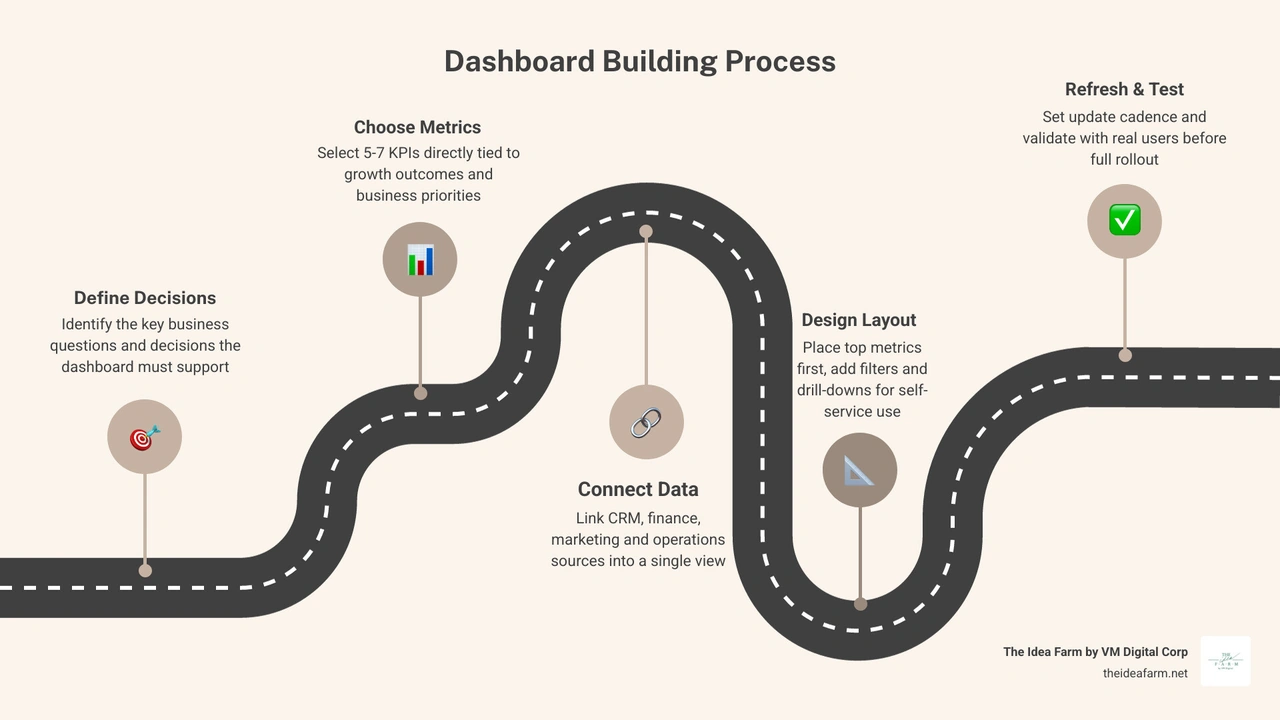
The biggest mistake is picking a chart before you know what you want to decide. We always start with business questions.
If you look at a chart, what will you do? If the answer is "nothing," you do not need that chart. Building a dashboard should help you run your business. It should help a boss decide who to hire or where to spend money.
Not all dashboards are the same. You need the right tool for the job:
Planning is the most important part. If you skip it, you will have too many charts. No one will look at them. You need a clear goal and a plan for who will use it.
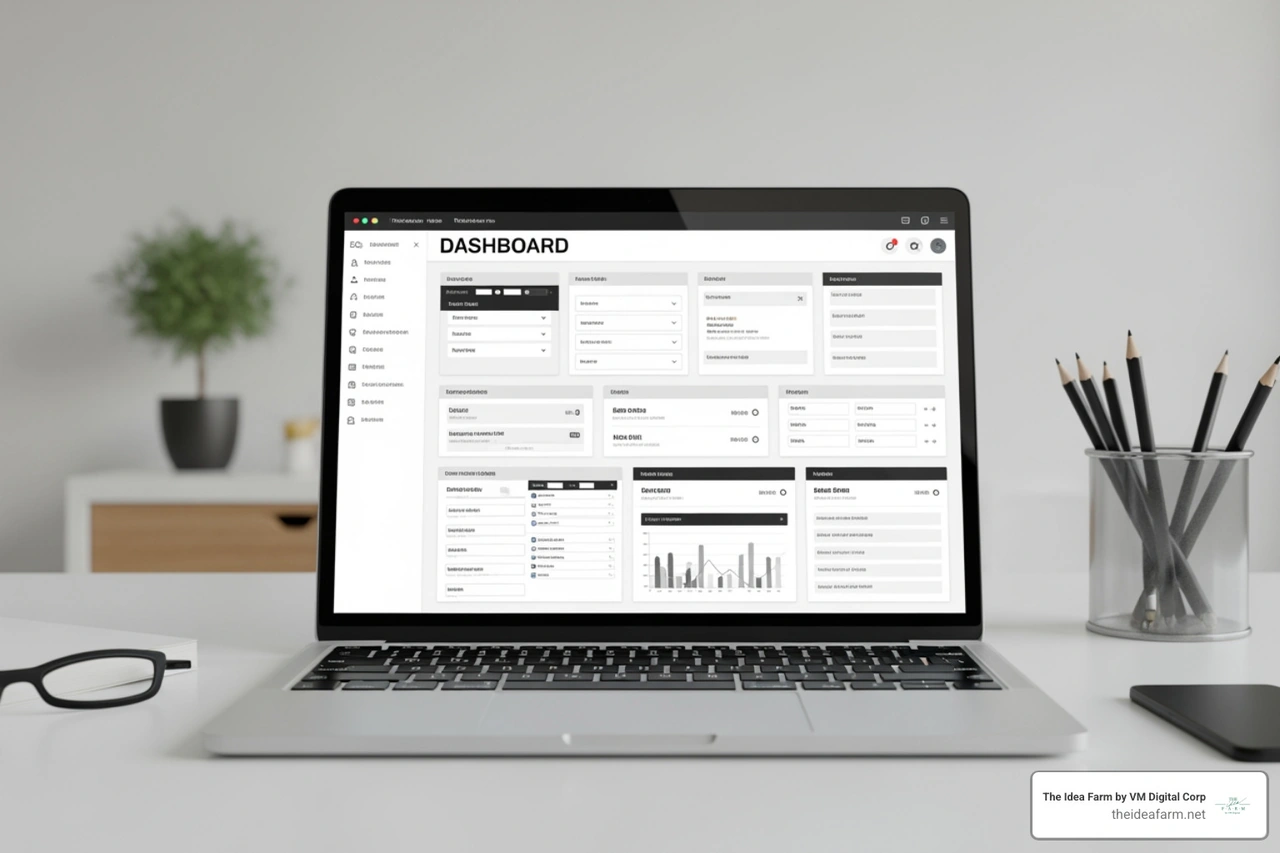
Who is this for? A money boss needs different data than a sales boss. Talk to the people who will use it. Ask them what they check every morning. This makes sure the dashboard helps them do their job.
Use only 5 to 7 main numbers at the top. Use two kinds of numbers:
Be careful. If you only track one thing, people might cheat to hit the goal. Use targets to show if a number is good or bad.
Your eyes look at the top-left corner first. Put your most important number there. Use a simple grid. Leave empty space so it is easy to read. If it looks crowded, people will not use it. Also, make sure it works on a phone. Many bosses check numbers on their phones.
This is like the pipes in a house. If the pipes are bad, the water will be dirty. Your data is like the water. You need to link your tools and clean the data.
List where your data comes from. You might use tools for sales, money, and ads.
Do you need live data?
To learn more about live data, read this step-by-step guide to building a real-time dashboard.
Bad data is a big problem. If your dashboard shows the wrong numbers, your team will not trust it. Keep it fast so people do not have to wait.
People must use the dashboard for it to work. Good design is not just about being pretty. It is about being easy to read.
Most of what is on the screen should be data. Remove extra lines and bright colors. Round your numbers. It is easier to read $1.2M than $1,245,672.43.
Buttons make building a dashboard better than a paper report. Users should be able to click a part of the map to see new data. Use small pop-up boxes to show more info when a user points at a chart.
There are three ways to build. The best way depends on your money and your skills.
Easy tools
Big platforms
Custom build
If you need a dashboard for your team to track sales, use an easy tool. They are safe and easy to keep up. You can start fast without a coder.
If you want to put a dashboard inside your own software for customers, build your own. This lets it look like your brand. It can also handle harder data tasks.
Safety is very important. You must control who sees what. A sales person should only see their own work. The boss should see everything. If you are building software, you can learn how to build a dashboard with AI and role-based access very quickly.
Even good dashboards can fail. Most problems come from people, not the tools.
Do not just turn it on.
Are people opening it? Are they making choices with it? If your team brings pictures of the dashboard to meetings, you have won. We want most of the team to check it every week.
A simple dashboard can be built in a few hours. A big system for a large company takes 4 to 8 weeks. Building a dashboard for a new software product can take 3 months or more.
Start with your most important number. This number shows if your business is healthy. Add a few more numbers that help it. Show how things changed over the last 6 months. Keep it simple.
It depends on the choice. If you spend a lot of money on ads every day, you might need updates every hour. For a Customer Success Dashboard, once a day or once a week is enough.
Building a dashboard is more than just a tech job. It is a plan for your business. It tells you the truth so you can grow with confidence.
At The Idea Farm, we believe in tracking what matters. We do more than make charts. We build Custom Analytics Dashboards that help you run your business. When your data is linked and your goals are clear, growing becomes a plan instead of a guess.
If you are ready to stop looking through messy sheets, look at The Growth Dashboard. We help businesses turn numbers into a map for growth.