
April 21, 2026
The grow dashboard is a tool that helps you see your business data. It connects to over 150 apps. You do not need to be a coder to use it. It puts all your info in one place. This helps your whole team see how the business is doing right now.
Here is what it does:
| Feature | What It Means for You |
|---|---|
| 150+ connections | Link to Google, Facebook, and more |
| No coding | Build charts without tech skills |
| All users | Everyone gets access for free |
| All-in-one | It stores and shows your data |
| Real-time | No more old reports |
Most bosses have plenty of data. But they do not have clear answers. Marketing info is in one place. Sales info is in another. It takes too long to put it all together. Grow solves this. It pulls all your data into one simple view.
Grow has many great reviews. Thousands of companies use it to grow fast. I am Jose Escalera from The Idea Farm. I have seen many teams struggle because they cannot see their data. In this post, I will show you how a grow dashboard helps your business.
Grow dashboard words to know:
Old data tools are hard to use. They cost a lot of money. You often need to hire experts to write code for them. This is slow. A growing company needs answers fast.
The grow dashboard is different. It does everything in one place. It grabs your data, stores it, and makes it look good. It is built for regular people, not just tech experts.
One big win is that everyone can see the data. When people see their own numbers, they do better work. They do not have to guess if a plan is working.
| Feature | Old Tools | Grow Dashboard |
|---|---|---|
| Setup Time | Months | Days |
| Tech Skill | High | Low |
| Cost | High | Low |
| Data Prep | Hard | Easy |
| Use | Hard | Simple |
You can read Grow Reviews on G2 to see what others think. Many people give it 5 stars because it is so simple.
Have you ever wanted to see a chart but did not know how to make it? Grow has a Smart Builder. You just point and click to pick what you want to see. It is very easy. It makes custom analytics dashboards easy for any manager to build.
Most software costs more when you add more people. This makes companies hide data to save money. Grow is different. It lets you add as many users as you want. This helps everyone stay on the same page. It builds a culture where everyone knows the facts.
A dashboard is only good if it shows what you need. A boss needs different info than a sales person. Grow is great at making special views for each team.
For example, doctors use it to track their work. You can see how specialized dashboards elevate provider practices by helping them stay organized.
Here is how teams use it:
To get the most out of your grow dashboard, track the right numbers. Focus on things that help you take action.
Common numbers to track:
If you have investors, you know that making reports is hard. It usually takes a week of work. With a grow dashboard, you can just send them a link. This builds trust. They can see the real numbers at any time.
The best part of Grow is how it handles messy data. Most companies have data in many different apps. Grow pulls it all into one safe spot. This means everyone looks at the same facts. No more fighting over which report is right.

Old data is bad. If you use last month's numbers, you might make a mistake. Grow updates your data automatically. Your grow dashboard stays fresh. This gives your team the power to act fast. If sales go down on Tuesday, you can fix it by Wednesday.
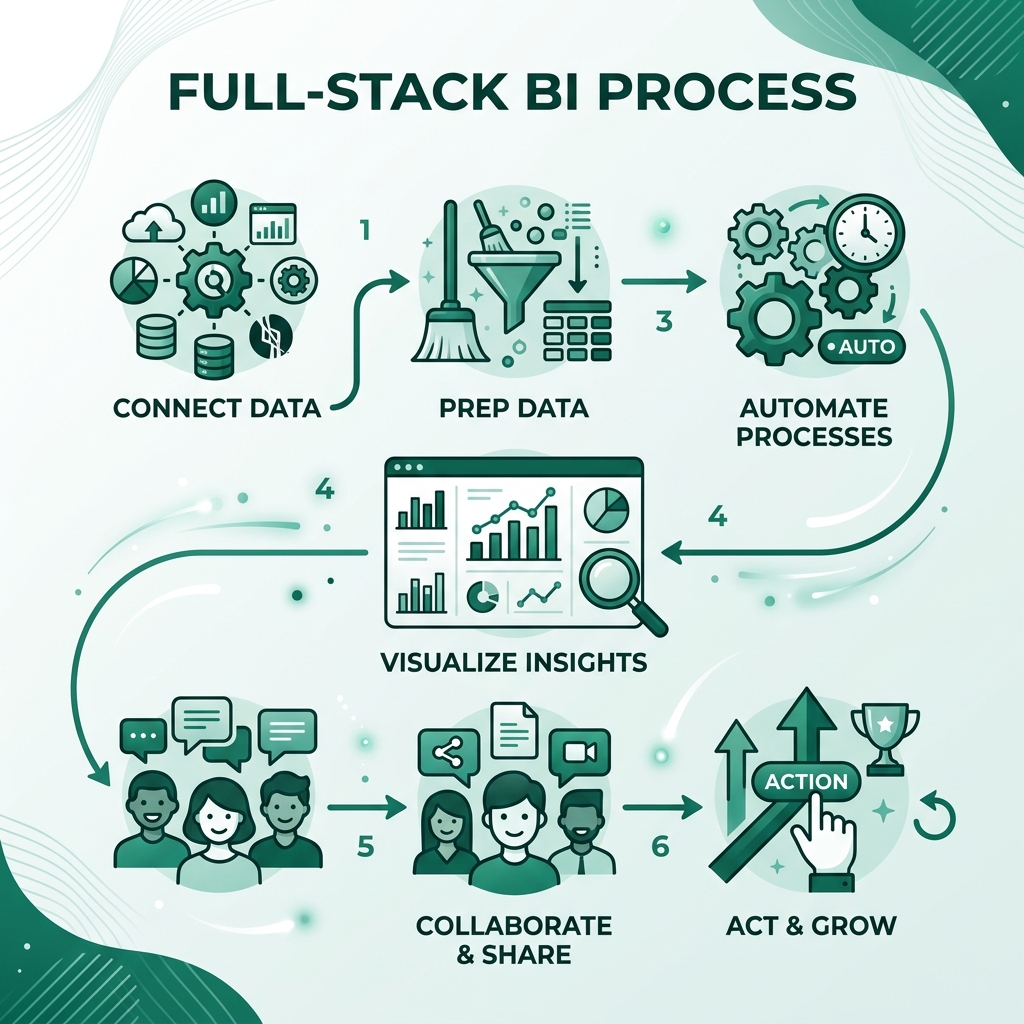
Starting is easy. Grow has a free trial. They even help you build your first dashboard. It connects to over 150 tools like Salesforce and Google.
The steps are simple:
Grow works with over 150 apps. This includes Google, HubSpot, Salesforce, and Facebook. It also works with simple sheets like Excel.
Yes! You can ask for a free trial. They will help you build your first dashboard during the trial.
Yes. Grow uses strong locks to keep your data safe. You can also choose who is allowed to see each part of your data.
At The Idea Farm, we believe growth comes from a good system. A grow dashboard is a very strong tool for that system. It stops the guessing. It gives everyone on the team the facts. When you see the numbers clearly, you can grow with confidence.
If you want to stop using old reports, look at The Growth Dashboard. Let's stop guessing and start growing with real numbers.